All demosOwn project · Interactive demo
Internal tools
Zenith Ops
Bookings and statuses in view.
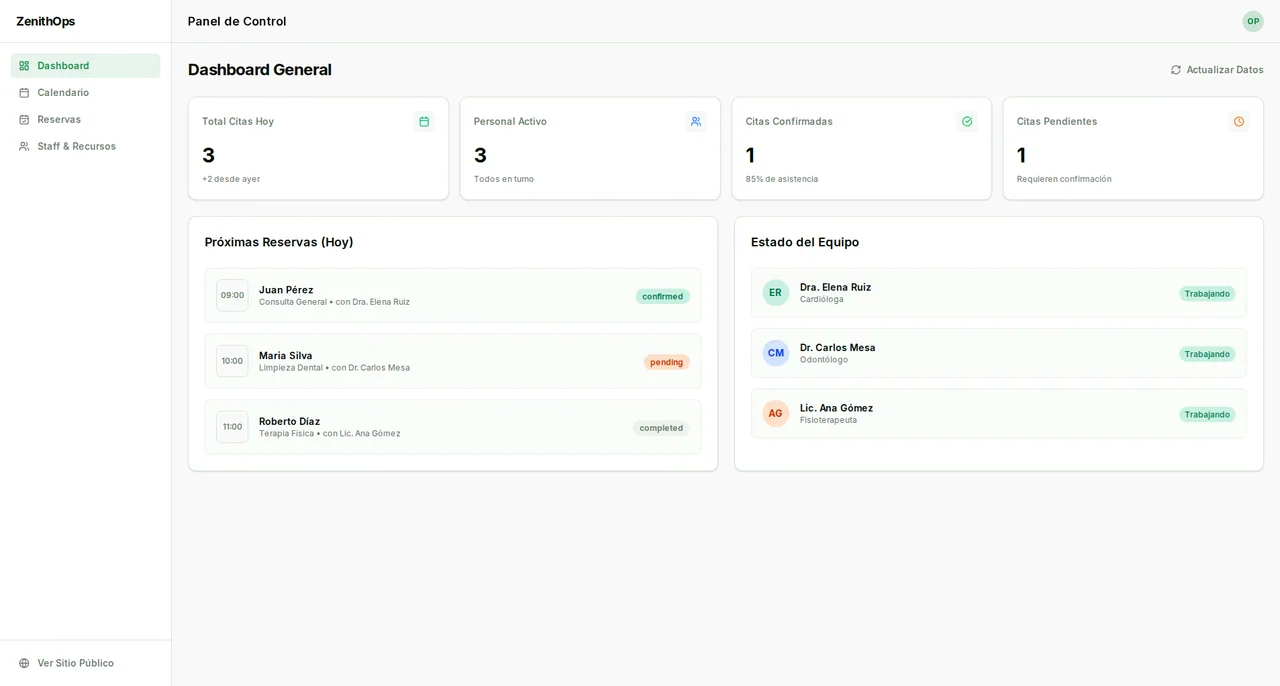
A demo of booking, calendar and operations views for appointment-based services.
Open the demoDiscover the journeyDesign & development · Santiago Cubides
The starting point
Show how a booking and its statuses could appear in a shared workspace.
The design decision
I separated the booking experience from the operations view to explain both sides of the process.
See the demo scopeInside the journey
Booking and planning, two sides of one journey.
Book
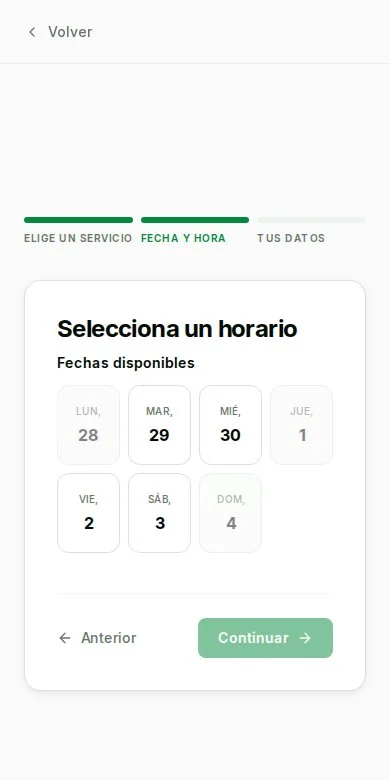
Choose a service, date and time. Fill in your details and review the sample confirmation.
Plan
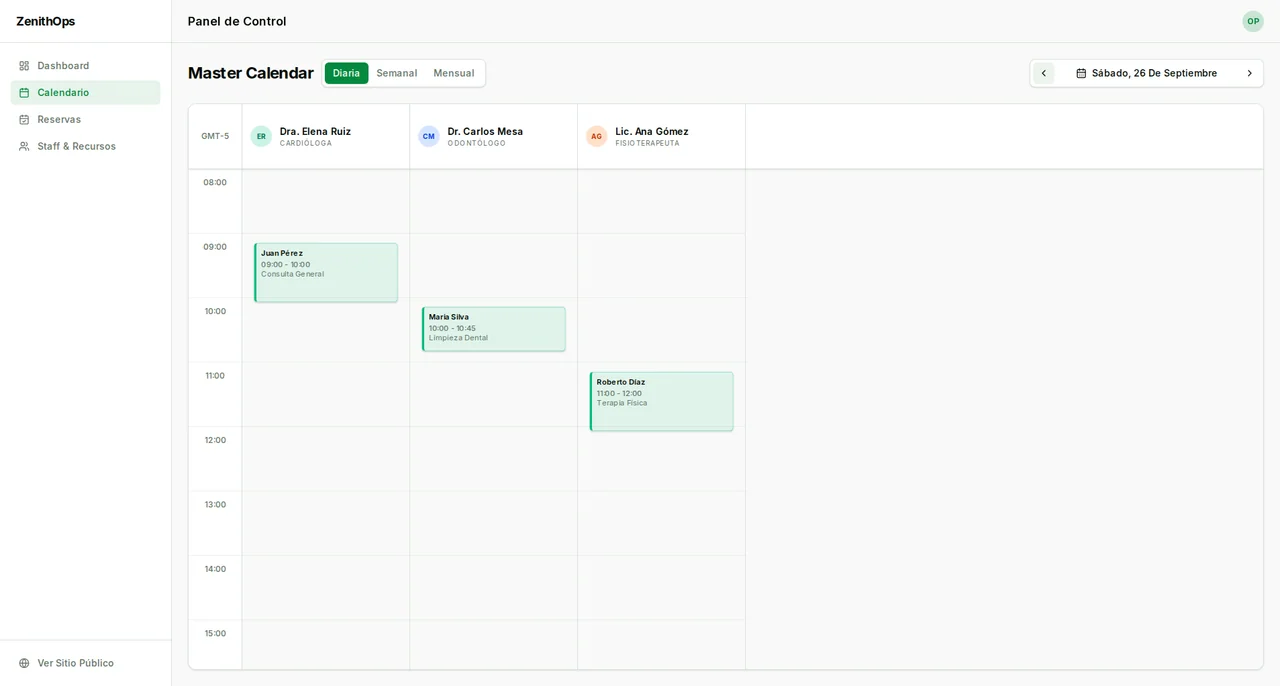
Open the dashboard to find the appointment alongside the sample bookings, in the calendar and the list.
Manage
Update statuses and export bookings as CSV. This demo does not check live availability or send notifications.
What this demo covers.
What you can try and what is out of scope, before you dive in.
You can explore
- Booking flow that saves appointments in this browser
- Calendar and dashboard with initial sample data
- Status updates and CSV export for bookings
The limits
- Bookings exist only in this browser and can be reset from the dashboard.
- There is no multiuser sync, notification delivery or live business availability.
Now, your idea
What if we built it for you?
We can start from what you saw here and define what your project needs.
Let's discuss your project